Table of Contents
Table of Contents
Introduction to IPTV Firestick
What Is IPTV Firestick?
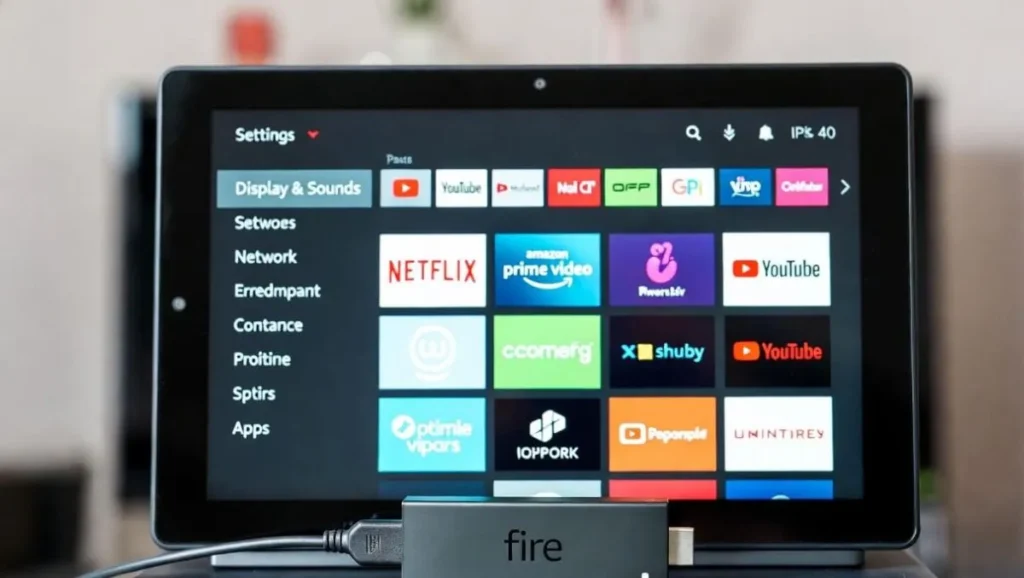
In 2025, IPTV Firestick refers to using Internet Protocol Television services on your Amazon Fire TV Stick to stream live TV channels, sports, movies, series, and on-demand content directly over the internet. The Firestick’s compact design, powerful hardware (especially in 4K Max models), and ability to sideload apps make it one of the most popular devices for IPTV streaming.
Why IPTV Firestick Is So Popular in 2025
Rising Cable Costs and Cord-Cutting Trend
Traditional cable subscriptions continue to increase in price, pushing millions toward affordable alternatives like IPTV.
Key Advantages of Firestick for IPTV
- Affordable hardware
- Easy sideloading of third-party apps
- Excellent 4K/HDR support
- Alexa voice control integration
- Portable and easy to hide behind TVs
Critical Legal Disclaimer: IPTV technology itself is 100% legal. However, accessing copyrighted content without proper licensing is illegal in most countries. This guide focuses exclusively on legal methods, official apps, and verified services. Always use a VPN for privacy and avoid unverified sources that may involve piracy.
Understanding IPTV Technology
How IPTV Works on Firestick
Basic Components of an IPTV Setup
- Stable high-speed internet connection
- IPTV player app
- Playlist (M3U URL) or Xtream Codes from a provider
- Optional: VPN for security and performance
Legal vs. Unverified IPTV Services in 2025
Legal IPTV Options
- Free ad-supported apps: Pluto TV, Tubi, Xumo, Plex, DistroTV
- Verified paid services with proper licensing
Risks of Unverified Services
- Potential legal consequences
- Frequent shutdowns
- Poor stream quality and buffering
- Malware risks from shady APKs
Best IPTV Players for Firestick in 2025
Top Premium and Free Players
1. TiviMate – Best Overall Choice
- Modern, customizable interface
- Excellent EPG support
- Multi-playlist management
- Recording capabilities (premium version)
2. IPTV Smarters Pro – Best for Beginners
- Completely free
- Simple setup with Xtream Codes
- Clean, intuitive design
- Multi-device support
3. XCIPTV Player
- Highly customizable skins
- Ad-free experience
- Fast channel switching
4. OTT Navigator
- Modern Material Design
- Sleep timer and favorites management
5. Perfect Player
- Lightweight and reliable
- Great for older Firestick models
Legal Free Alternatives Available in Amazon Appstore
- Pluto TV
- Tubi
- Freevee
- Plex Live TV
Step-by-Step Setup Guide for IPTV Firestick
Preparing Your Firestick Device
Step 1: Enable Developer Options and Unknown Sources
- Go to Settings → My Fire TV → About
- Click on your device name 7 times to unlock Developer Options
- Return to My Fire TV → Developer Options
- Turn on “Apps from Unknown Sources”
Installing Required Tools
Step 2: Install the Downloader App
- From Firestick home screen, search for “Downloader”
- Install the official orange Downloader app by AFTVnews
Sideloading Your Chosen IPTV Player
Step 3: Download and Install the Player APK
- Open Downloader
- Enter the official APK URL for your chosen player (e.g., IPTV Smarters Pro or TiviMate)
- Download and install the APK file
Adding Your IPTV Subscription
Step 4: Enter Playlist Details
- Open your installed player app
- Choose login method: M3U URL, Xtream Codes, or Stalker Portal
- Input credentials from your legal provider
- Load EPG (Electronic Program Guide) if available
Step 5: Test Your Streams
- Check several channels
- Verify EPG loads correctly
- Test VOD section if included
Optimizing Your IPTV Firestick Experience
Essential Performance Tips
Internet Speed Requirements
- SD streaming: 5-10 Mbps
- HD streaming: 15-25 Mbps
- 4K streaming: 25-50+ Mbps
Reducing Buffering Issues
- Use wired Ethernet adapter instead of Wi-Fi
- Close background apps
- Lower stream quality temporarily during peak hours
Privacy and Security Best Practices
Why You Need a VPN for IPTV Firestick
- Protects your privacy from ISP monitoring
- Bypasses ISP throttling
- Unblocks geo-restricted content
- Adds security on public Wi-Fi
Best VPNs for Firestick in 2025
- ExpressVPN: Fastest speeds, native Firestick app
- Surfshark: Unlimited devices, budget-friendly
- NordVPN: Strong security features
Troubleshooting Common IPTV Firestick Problems
Buffering and Freezing Issues
Most Common Causes and Solutions
| Problem | Likely Cause | Quick Fix |
|---|---|---|
| Constant buffering | ISP throttling or weak Wi-Fi | Connect VPN, use Ethernet, test speed |
| Streams freeze randomly | Overloaded provider server | Switch to different server in player settings |
| Channels won’t load | Expired/outdated playlist | Refresh playlist or contact provider |
App and Device Issues
App Crashing or Not Opening
- Force stop and clear cache
- Reinstall the player app
- Restart Firestick completely
Black Screen Problems
- Check HDMI connection
- Try different HDMI port
- Disable HDR temporarily
Advanced Tips for Expert Users
Customizing Your IPTV Player
- Create favorite groups
- Set up parental controls
- Enable startup channel
Maintenance Best Practices
- Clear cache weekly
- Update player apps regularly
- Backup your playlists
- Monitor provider status
Conclusion
IPTV Firestick continues to be one of the most powerful and flexible streaming solutions available in 2025. When set up correctly with legal sources, proper optimization, and security measures, it can completely replace expensive cable subscriptions while delivering superior channel selection and features.
Start with free legal apps like Pluto TV and Tubi to test the waters, then explore verified paid services if you want premium international content. Always prioritize legality, privacy (use a VPN), and stable internet for the best experience.
Enjoy your IPTV Firestick setup responsibly!
FAQ: IPTV Firestick 2025
What exactly is IPTV Firestick?
IPTV Firestick means using IPTV services and player apps on Amazon Fire TV Stick devices to stream live TV and on-demand content over the internet.
Is IPTV on Firestick legal?
Yes, the technology is legal. Only the source of content matters – stick to licensed providers and official apps to stay completely legal.
How do I install IPTV apps on Firestick?
Enable unknown sources, install Downloader app, then sideload player APKs like TiviMate or IPTV Smarters Pro.
What are the best IPTV players for Firestick in 2025?
TiviMate (best premium), IPTV Smarters Pro (best free), XCIPTV, and OTT Navigator are top choices.
Why does my IPTV keep buffering on Firestick?
Usually caused by slow internet, ISP throttling, or server issues. Use a VPN, Ethernet connection, and clear cache to fix it.
Do I really need a VPN for IPTV Firestick?
Highly recommended for privacy protection, bypassing throttling, and accessing geo-blocked content safely.
Can I get free IPTV channels on Firestick?
Yes – completely free and legal through apps like Pluto TV, Tubi, Xumo, and Plex available directly in the Amazon Appstore.
What internet speed do I need for 4K IPTV on Firestick?
Minimum 25 Mbps recommended, with 50+ Mbps ideal for consistent buffer-free 4K streaming.